
VEE Icons Theme1.7 - Google Play
You'll be able to see results in few seconds.
Publisher Description
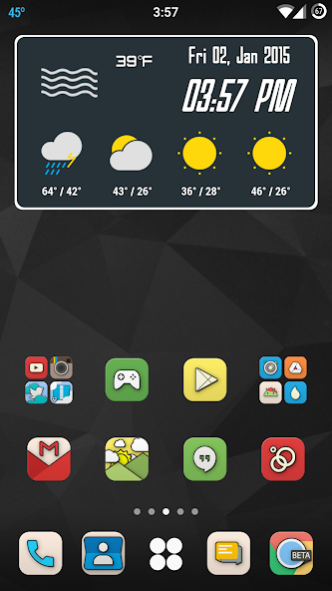
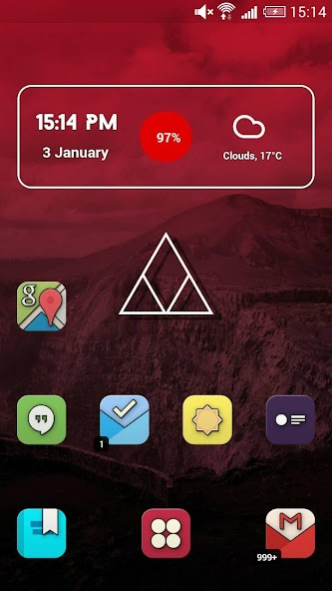
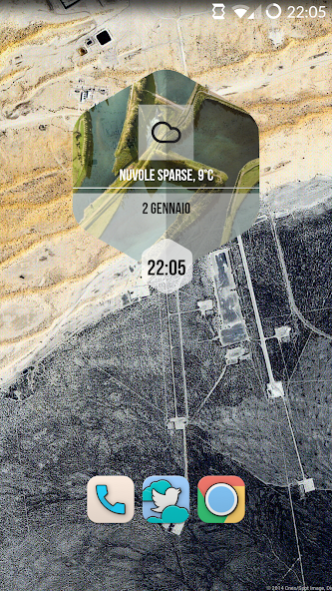
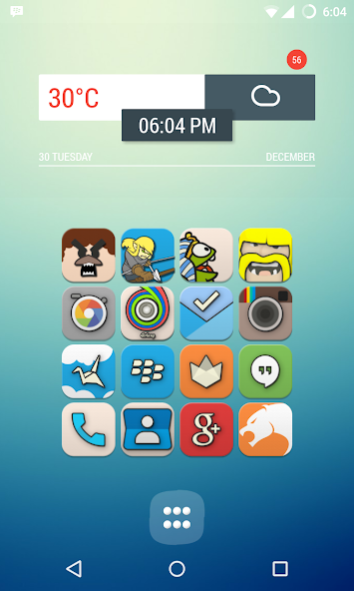
Inspired from Subsurface Scattering Rendering VEE will bring joy to your customizations world .
Special Thank's to Ricky Laughin, Jon Merrit, and Arturo MB for the Zooper Pack and Josh Oleksyn for the Minima Wallpapers.
MAIN FEATURES
• 2938++ Custom Icons
• 8000++ Activities
• High Quality Icons
• Multi Launcher Supports
• HD Icon 192x192 px, 450dpi
• 130++ HD Cloud Wallpapers
• 30 App Drawer Alternate
• Dynamic calendar support (Google, Sunrise, Today)
• Regular Updates
DASHBOARD APP FEATURES
• Apply, 19 Launcher Cards, 13 Direct Apply, 6 Manual
• See & Search All Icons Included with Icon Name
• Smart Icon Request
• Cloud Based Wallpaper Picker
• Image Picker, Attach Icon from Dashboard App as an Image to Email, Hangouts, etc or Even Use it to Create Zooper Widget
• Help, Contains FAQs
COMPATIBLE WITH
• LG Home
• Action Launcher
• ADW Launcher
• Apex Launcher
• Atom Launcher
• Aviate Launcher
• dodol Launcher
• Everything Me Launcher
• Epic Launcher
• GO Launcher EX
• Holo Launcher
• Holo Launcher HD
• Inspire Launcher
• Kcin Launcher
• KK Launcher
• Lucid Launcher
• Mini Launcher
• Nemus Launcher
• Next Launcher
• Nine Launcher
• Nova Launcher
• S Launcher
• Smart Launcher
• Solo Launcher
• Themer
• CM Theme Engine
• Launchy Widget
• Trebuchet
• TSF Launcher
• Unicon
Thank you for purchasing, We hope that you enjoying using VEE icons as much we enjoying to make them! We'd love to see your screenshots as well and help us to share this theme to other.
If you have any questions, comments, and concerns about the icons please email me at starkedev@gmail.com
or Join our Community at https://plus.google.com/u/0/communities/104702815079814608939
Best Regards,
starkeDEV Team
About VEE Icons Theme
The company that develops VEE Icons Theme is Dominant Pixel Studio. The latest version released by its developer is 1.7.
To install VEE Icons Theme on your Android device, just click the green Continue To App button above to start the installation process. The app is listed on our website since 2015-09-20 and was downloaded 0 times. We have already checked if the download link is safe, however for your own protection we recommend that you scan the downloaded app with your antivirus. Your antivirus may detect the VEE Icons Theme as malware as malware if the download link to com.starkedev.vee.icons.theme is broken.
How to install VEE Icons Theme on your Android device:
- Click on the Continue To App button on our website. This will redirect you to Google Play.
- Once the VEE Icons Theme is shown in the Google Play listing of your Android device, you can start its download and installation. Tap on the Install button located below the search bar and to the right of the app icon.
- A pop-up window with the permissions required by VEE Icons Theme will be shown. Click on Accept to continue the process.
- VEE Icons Theme will be downloaded onto your device, displaying a progress. Once the download completes, the installation will start and you'll get a notification after the installation is finished.
Program Details
System requirements
Download information
Pricing
Version History
version 1.7
posted on 2015-09-20
V 1.7,09/20/2015,- Added New 116 Icons,- Many Activity fix,- Bug Fixed!,- New UI,- 2936 themed icons Total!
Disclaimer
Official Google Play Link
We do not host VEE Icons Theme on our servers. We did not scan it for viruses, adware, spyware or other type of malware. This app is hosted by Google and passed their terms and conditions to be listed there. We recommend caution when installing it.
The Google Play link for VEE Icons Theme is provided to you by apps112.com without any warranties, representations or guarantees of any kind, so access it at your own risk.
If you have questions regarding this particular app contact the publisher directly. For questions about the functionalities of apps112.com contact us.
